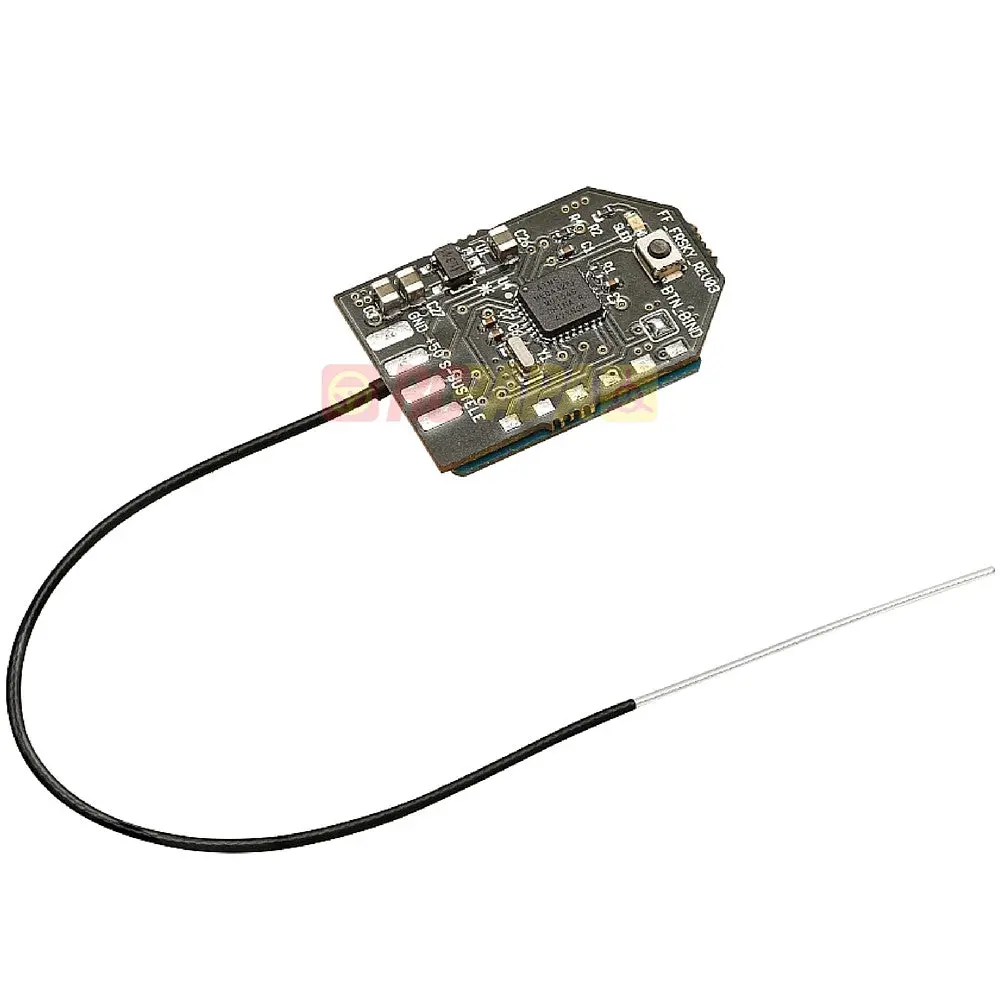
Description
The Furious Mini RX for Frsky is designed for micro quads.
Features :
Mini size: 17×24 mm
Light Weight: 2.5g (with antenna)
Operating Range: 500m
S-bus output without inverted (don’t need inverted on FC)
8 channel output
Telemetry HUB
Input voltage: 4-6V (normal 5V)
Compatibility: FrSky Taranis, Taranis Plus, & XJT module
NOTE: Regarding F3 chip, you need go to CLI on cleanflight and set sbus_inversion = OFF >> save
Configuration
Following, there’s some useful info for the setup and use of your Furious Mini RX.
1. Binding the receiver to the Frsky Taranis
In the Taranis, go to MODE SETUP (page 2) in the model configuration.
Go to Mode inside Internal RF and select D8.
Press and hold the receiver bind button and plug your battery in to turn the receiver on.
Release the button. A green LED lights up in the receiver.
Going back to the Taranis; we press BIND. The transmitter beeps, indicating it’s in bind mode.
Wait for the green LED on the receiver to turn off. The binding procedure has finished.
Exit the BIND mode in the Taranis. Unplug the battery to turn off the receiver.
2. Binding the receiver to the XJT module
Using the dip switches of the XJT module, select the D8 mode. They shoud be in the following position: switch 1 = ON, switch 2 = OFF.
Press and hold the receiver bind button and plug your battery in to turn the receiver on.
Release the button. A green LED lights up in the receiver.
Press and hold the bind button and turn the transmitter on.
Release the button. A green light shoud blink in the module, indicating it’s in bind mode.
Wait for the green LED on the receiver to turn off. The binding procedure has finished.
Turn the transmitter off. Unplug the battery to turn off the receiver.
3. Receiver Configuration in the Cleanflight configurator
In the PORTS PORTS tab, select the UART that corresponds to the receiver (usually UART3 in F3 flight controllers) and activate Serial RX.
Save by clicking on the Save and Reboot button.
In the CONFIGURATION tab, in the Receiver Mode section, select RX_SERIAL.
In the same tab, in the Serial Receiver Provider section, select SBUS.
Save by clicking on the Save and Reboot button.
Go to CLI and type the following commands:
set sbus_inversion = OFF >> save
The FC will reboot, applying the change. Go to the RECEIVER tab and make sure the receiver acts like it should.
4. Telemetry Configuration :
In the PORTSPORTS tab, select the UART that corresponds to the telemetry (usually UART2 in F3 flight controllers) and select FrSky in Telemetry. Leave the baudrate to AUTO.
Go to CLI, and type the following commands:
set telemetry_inversion = OFF >> save
The FC will reboot, applying the change. Make sure you’re getting thetelemetry values in our Taranis correctly.


Explore more from our collection.


Reviews
There are no reviews yet.